Europcar Invoice for Car Rental Services
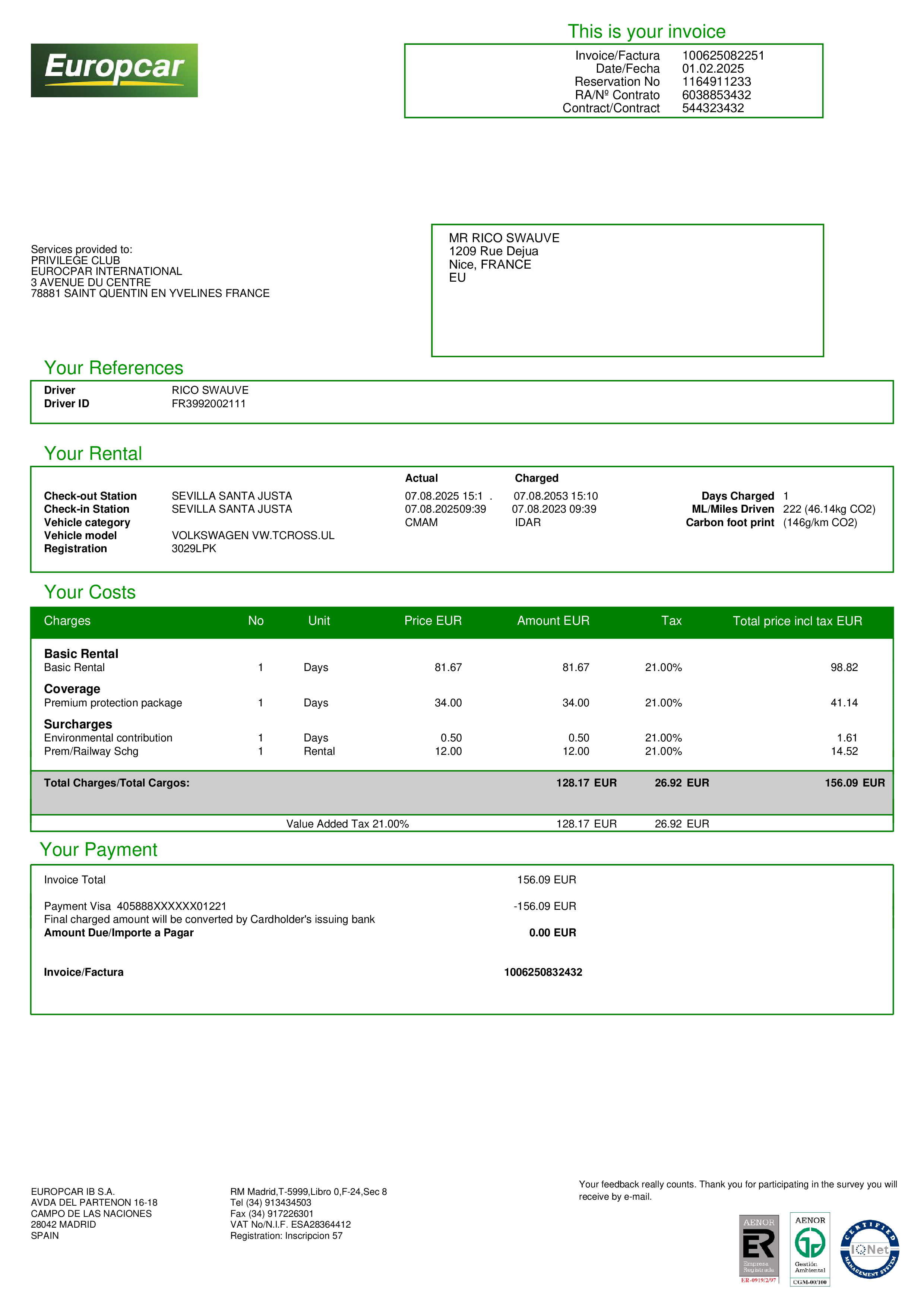
Use this Europcar Invoice for Car Rental Services template in PDFPro to quickly create, edit, and download a professional-looking car rental invoice. It’s designed to match a typical Europcar rental receipt and is ideal for expense reports, reimbursements, travel documentation, or record keeping.
This Seville, Spain rental invoice template includes editable fields for:
- Rental location: Seville, Spain
- Rental dates: pickup and return dates
- Vehicle details: make/model, category, and other vehicle information
- Itemized charges: including the basic rental fee and insurance
- Total amount due: €155.09
- Payment status: marked as Paid in Full
- Payment method: Credit Card
Customize any section—dates, vehicle info, line items, taxes, totals, and payment notes—then export a clean, print-ready PDF in seconds.
Europcar is a global car-rental brand. Europcar Mobility Group says it delivers services through a network in ~135 countries , and its consumer site also describes thousands of rental locations worldwide. 
Why you might need a duplicate / customizable invoice from Europcar (or any rental company):
• Expense reimbursement: Employers often require an itemized invoice showing dates, location, vehicle class, line items (base rate, insurance, taxes/fees), and “paid by card.”
• Accounting/taxes: Clean documentation for business travel, client billing, VAT/GST records, or bookkeeping reconciliation.
• Missing/incorrect details: Fixing issues like wrong name/company, wrong dates, missing VAT number, or unclear payment method/last-4.
• Lost receipt: The invoice email gets buried or never arrives; Europcar provides a way to retrieve/download invoices via “Manage my booking” using your email/name + reservation number. 
• Travel/claims documentation: Proof of payment for insurance claims, credit-card benefits, or disputes.